Updated: September 5, 2025
Follow these steps to redeem your gift card through Prize Out:
✅ Steps to Redeem
1. Open the Menu
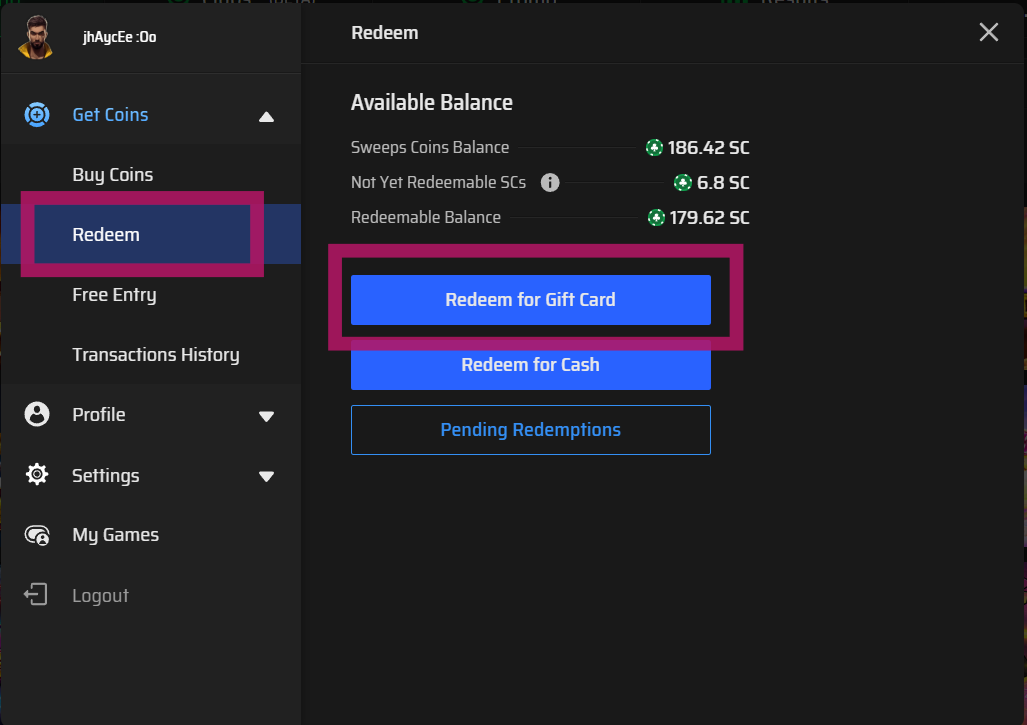
Click on the Burger Menu ☰ or the Get Coins button.

2. Go to Redeem
Select Redeem → choose Redeem for Gift Card.
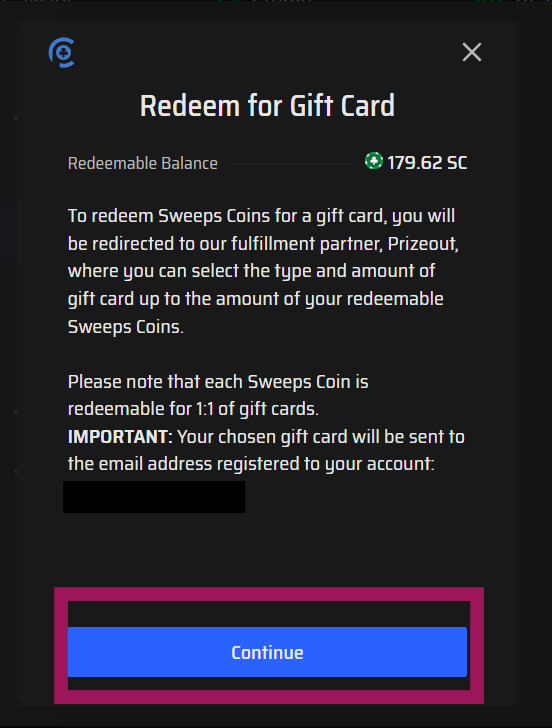
3. Redirect to PrizeOut
A prompt will appear notifying you that you will be redirected to PrizeOut.
Click Continue.
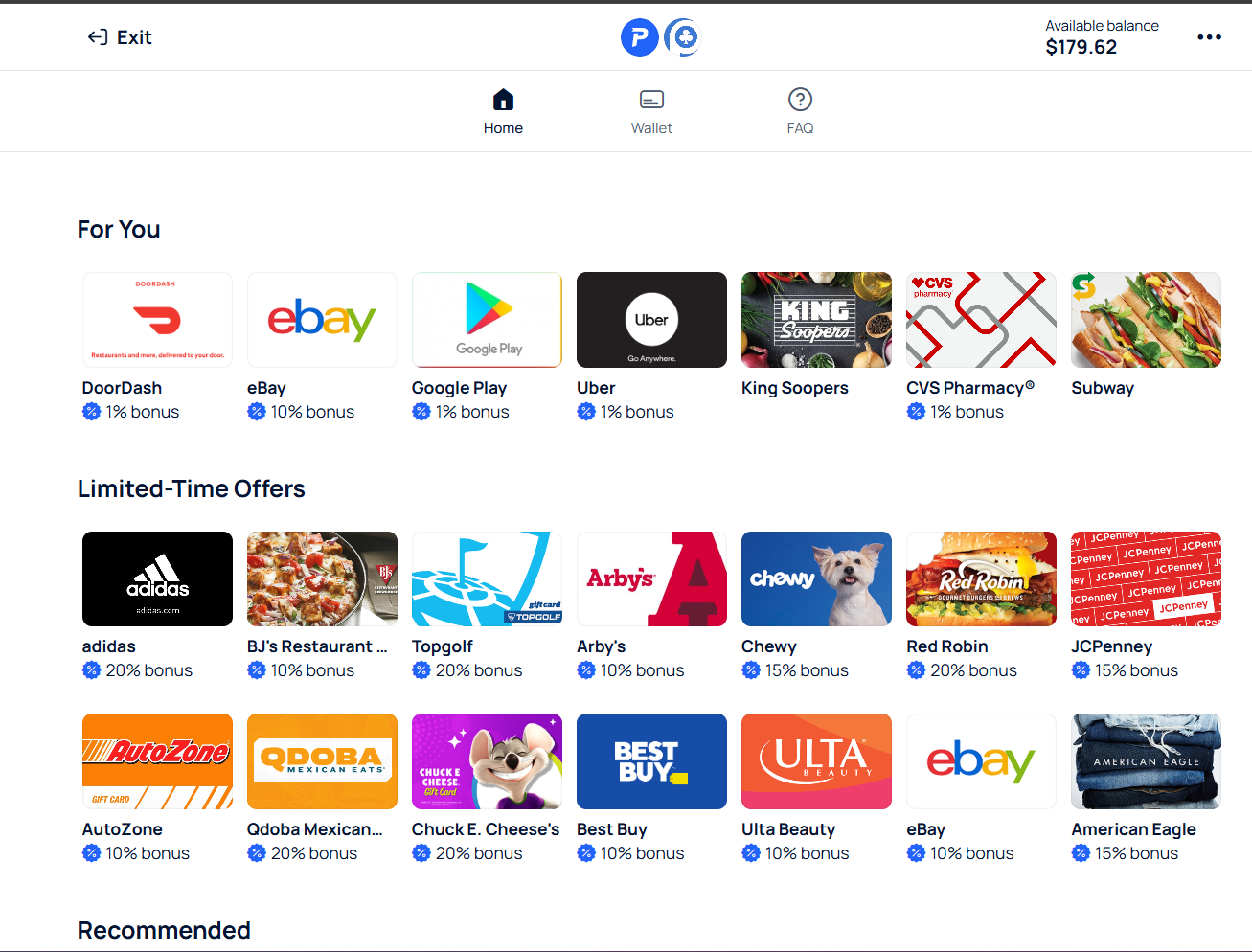
4. Browse Gift Cards
You will be routed to Prize Out where you can see all available merchants. You can also view it through this link.
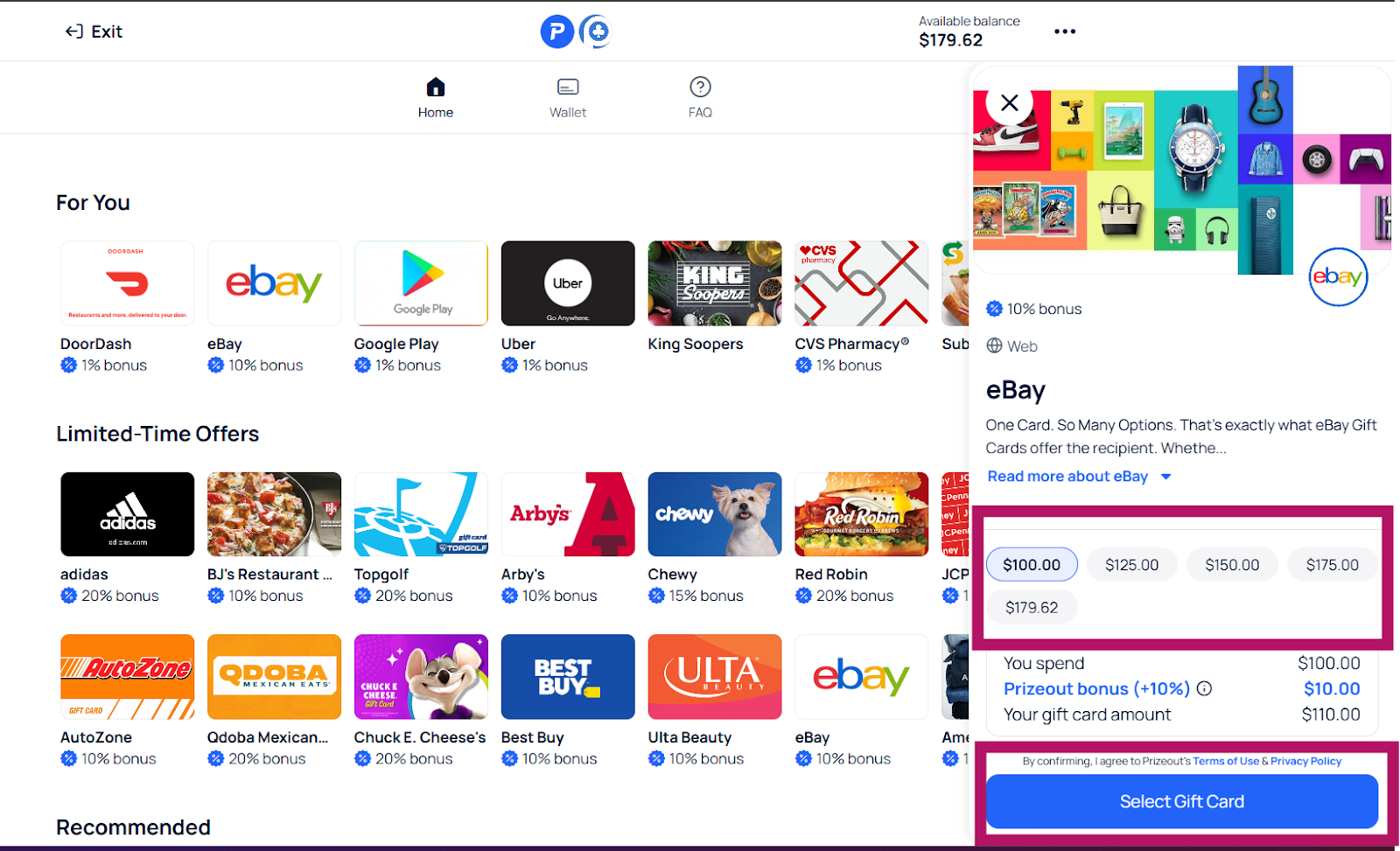
5. Select a Gift Card
Click on your desired Gift Card.
A side window will open showing the available amounts you can redeem.
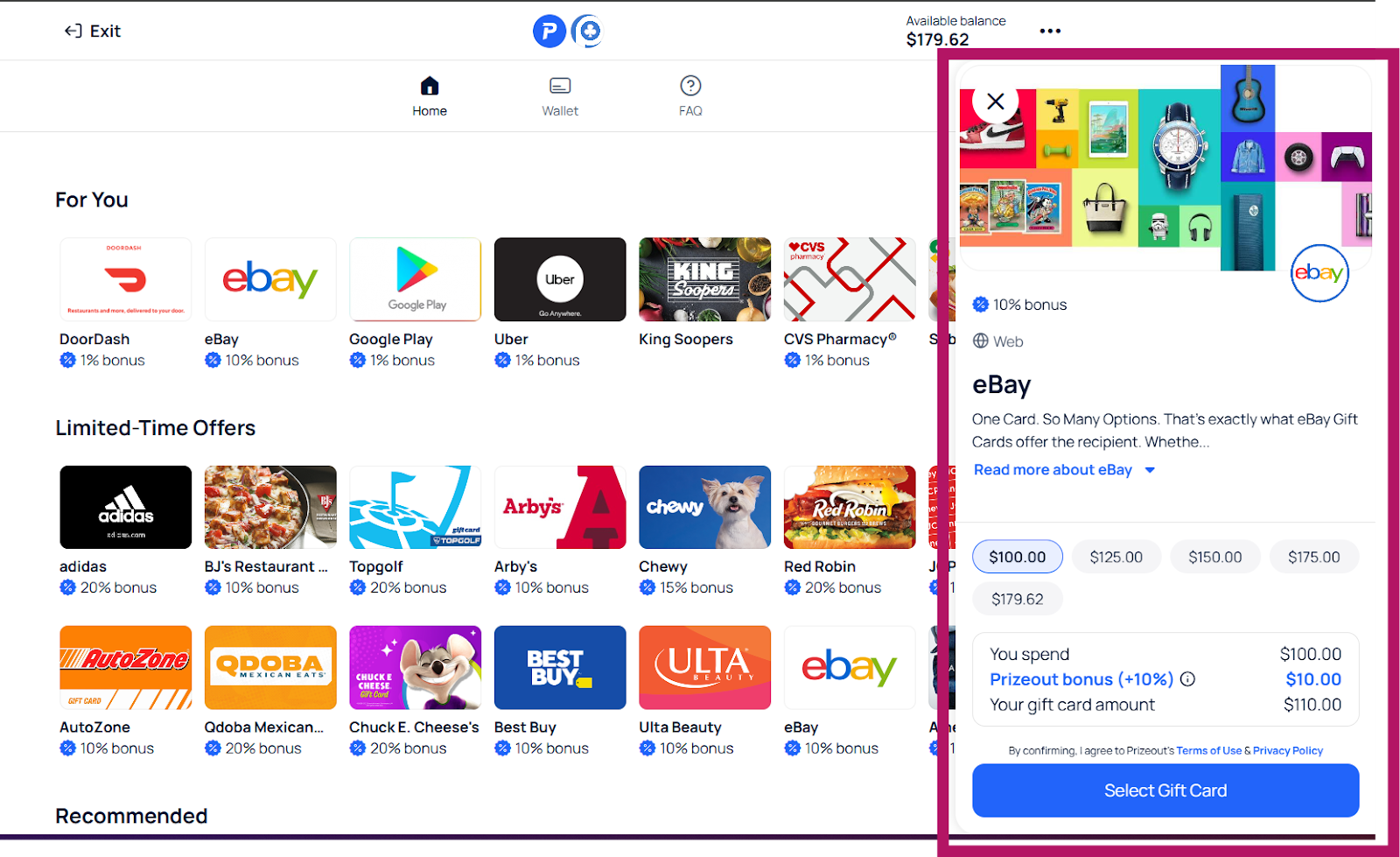
6. Confirm Selection
Choose your preferred amount.
Click Select Gift Card to finalize.
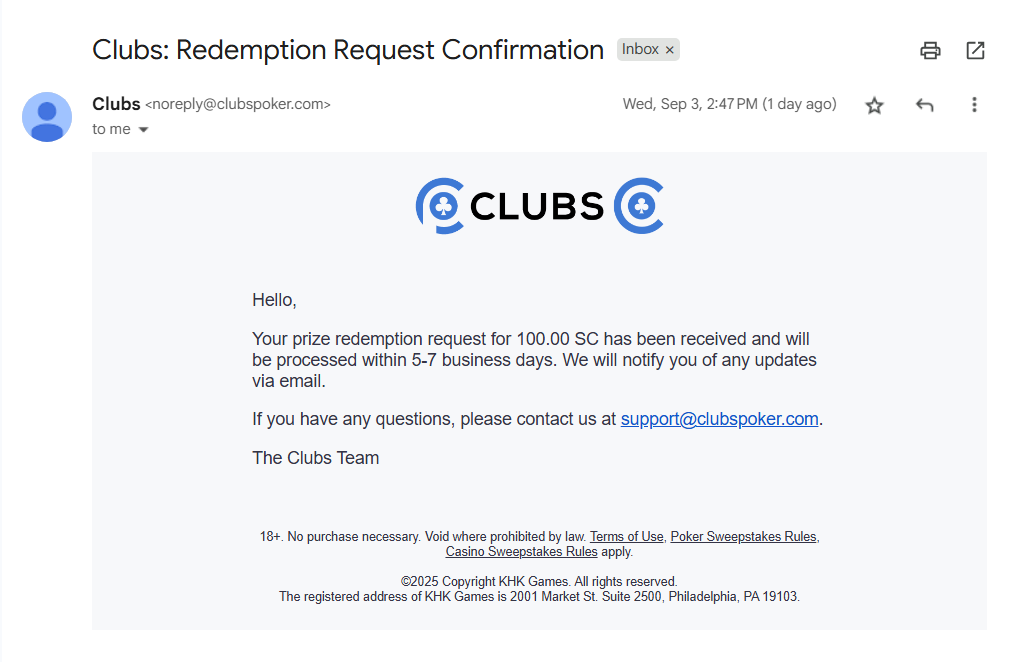
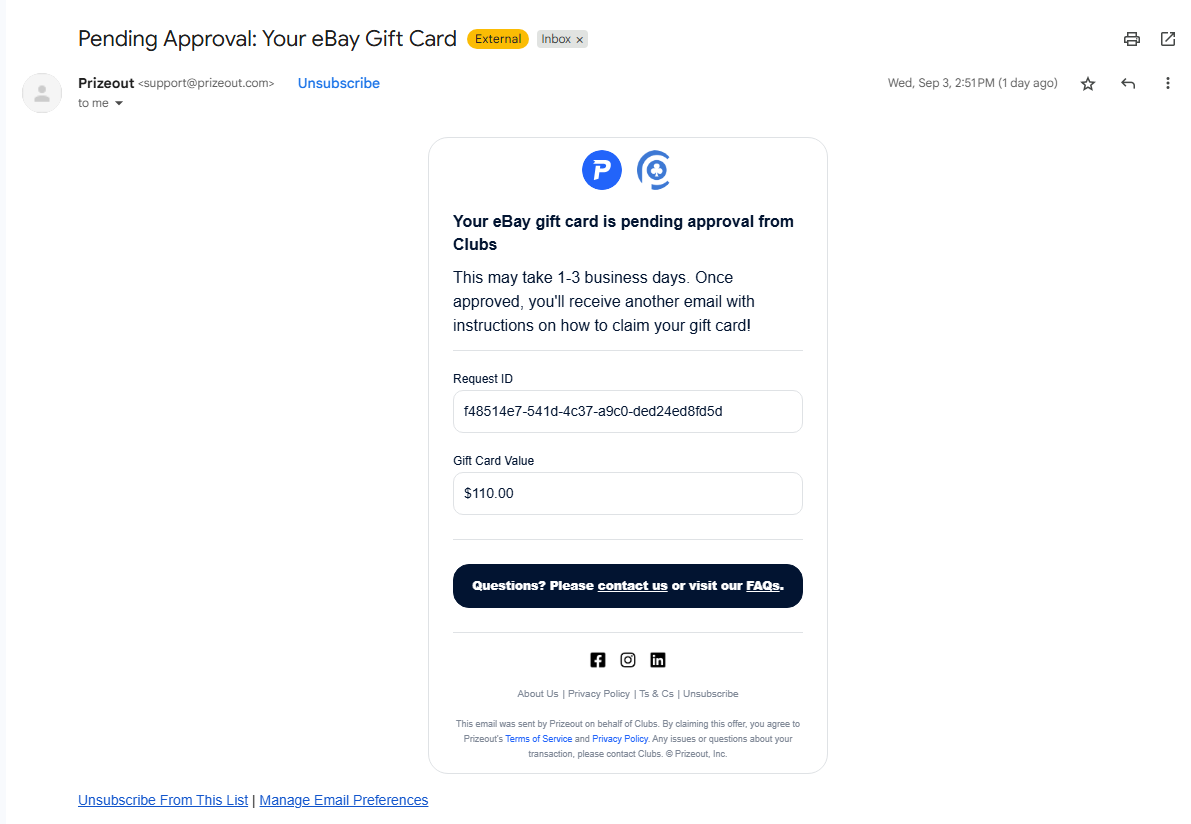
7. The player will receive two emails—one from PrizeOut and another from Clubs—confirming that their redemption has been received and is currently pending.
Was this article helpful?
That’s Great!
Thank you for your feedback
Sorry! We couldn't be helpful
Thank you for your feedback
Feedback sent
We appreciate your effort and will try to fix the article